
NHTSA ID Number: 10161752
Manufacturer Communication Number: 19-BE-011H
Summary
This bulletin describes the general operation of the BSD/BCW, provides a radar sensor troubleshooting guide, and outlines the usage of the BSD/BCW system angle measurement tool.
1 Affected Product
Vehicle
Description: The Blind Spot Detection (BSD) or Blind-Spot Collision Warning (BCW) is a system that measures the speed of and distance from the following vehicles by using two magnetic wave radar sensors attached in the rear bumper. The BSD/BCW detects vehicle within the blind spot zone and gives off an alarm (visual and audible). The two magnetic radar sensors provide these functions for BSD/BCW:
- Senses other vehicles in the BSD/BCW zone and turns on the BSD/BCW warning lamp for the driver. The warning lamp starts blinking, along with an audible sound, when the driver turns on the turn signal lamp to enter the lane where another vehicle is driving.
This bulletin describes the general operation of the BSD/BCW, provides a radar sensor troubleshooting guide, and outlines the usage of the BSD/BCW system angle measurement tool.
NUMBER
19-BE-011H
DATE
MAY, 2019

- [Easy to Use—Work Out of the Box] + [FOXWELL 2026 New Version] FOXWELL NT604 Elite scan tool is the 2026 new version from FOXWELL, designed for car owners who want to figure out the cause of issues before fixing car problems by scanning common systems like ABS, SRS, engine, and transmission. The NT604 Elite obd2 scanner diagnostic tool comes with the latest software—no need to waste time downloading software first. Plug the scanner into the OBDII port with OBDII cable to start the diagnosis.
- [Affordable] + [Reliable Car Health Monitor] Will you be confused what happens when the warning light of ABS/SRS/transmission/check engine flashes? Instead of taking your cars to dealership, this FOXWELL scanner will help you do a thorough scanning and detection for your cars and pinpoint the root cause. Note:The device is a diagnostic tool, not a repair tool. To turn off a warning light, you must first physically repair the issue causing it. Only then can the scanner be used to clear the corresponding fault code.
- [5 in 1 Car Diagnostic Scanner] Compared with obd scanners (50-100), NT604 Elite code scanner not only includes their OBDII diagnosis but also serves as ABS/SRS scanner, transmission and check engine code reader. When it’s an odb2 scanner, you can use it to check if your car is ready for annual test through I/M readiness menu. In addition, live data stream, built-in DTC library, data play back and print, all these features are a big plus for it. Note: doesn't support maintenance functions like reset or relearn. For the SRS system, NT604 Elite can read and clear common fault codes not caused by a crash, but crash/collision data cannot be cleared.
- [Fantastic AUTOVIN] + [No extra software fee] Through the AUTOVIN menu, this NT604 Elite car scanner allows you to get your V-IN and vehicle info rapidly, no need to take time to find your V-IN and input one by one. What's more, the NT604 Elite ABS SRS scanner supports 60+ car brands from worldwide (America/Asia/Europe). You don’t need to pay extra software fee. AUTOVIN may not work on some older vehicles or certain vehicle brands. If AUTOVIN fails, please input the vin code manually or go to the Diagnostic Menu to select your vehicle model.
- [Solid protective case KO plastic carrying bag] + [Lifetime update] Almost all same price-level car scanner diagnostic tool only offers plastic bag to hold the scanner.However, NT604 Elite automotive scanner is equipped with solid protective case, preventing your obd2 scanner from damage. Then you don’t need to pay extra money to buy a solid toolbox.

- CEL Doctor: The ANCEL AD310 is one of the best-selling OBD II scanners on the market and is recommended by Scotty Kilmer, a YouTuber and auto mechanic. It can easily determine the cause of the check engine light coming on. After repairing the vehicle's problems, it can quickly read and clear diagnostic trouble codes of emission system, read live data & hard memory data, view freeze frame, I/M monitor readiness and collect vehicle information
- Sturdy and Compact: Equipped with a 2.5 foot cable made of very thick, flexible insulation. It is important to have a sturdy scanner as it can easily fall to the ground when working in a car. The AD310 OBD2 scanner is a well-constructed mechanic tool with a sleek design. It weighs 12 ounces and measures 8.9 x 6.9 x 1.4 inches. Thanks to its compact design and light weight, transporting the device is not a problem. The buttons are clearly labelled and the screen is large and displays results clearly
- Accurate Fast and Easy to Use: The AD310 scanner can help you or your mechanic understand if your car is in good condition, provides exceptionally accurate and fast results, reads and clears engine trouble emission codes in seconds after you fixed the problem. This device will let you know immediately and fix the problem right away without any car knowledge. No need for batteries or a charger, get power directly from the OBDII Data Link Connector in your vehicle
- OBDII Protocols and Car Compatibility: Many cheap scan tools do not really support all OBD2 protocols. AD310 scanner as it can support all OBDII protocols such as KWP2000, J1850 VPW, ISO9141, J1850 PWM and CAN. This device also has extensive vehicle compatibility with 1996 US-based, 2000 EU-based and Asian cars, light trucks, SUVs, as well as newer OBD2 and CAN vehicles both domestic and foreign. Pls confirm with our customer service whether it is compatible with your vehicle before purchasing
- Home Necessity and Worthy to Own: This is an excellent code reader to travel or home with as it weighs less and it is compact in design. You can easily slide it in your backpack as you head to the garage, or put it on the dashboard, this will be a great fit for you. The AD310 is not only portable, but also accurate and fast in performance. Moreover, it covers various car brands and is suitable for people who just need a code reader to check their car
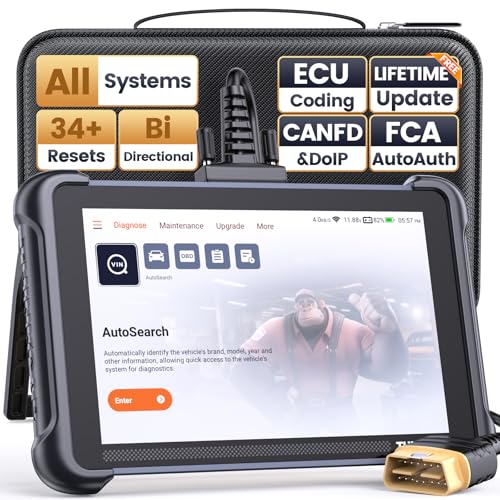
- 【Warm Tips】Dear friend, we've built this product to last, but in the unlikely event you encounter any technical hiccups, functions not support, received a used product, or just a simple question, please directly c0ntact us via Amazon Message and support @ mythinkcar. com, we're here to help and get it sorted in no time. Not sure if this product is compatible with your vehicle? Just e.mail your VIN at support @ mythinkcar. com for technical support. Note: FCA AutoAuth is a third-party service, additional cost may require.
- 【Professional Car Diagnostic Tool】Tired of renew fees? Thinkscan 689 scanner provides dealer-level advanced functions without annual fees for auto mechanics and repair shops. 34+ Services, 3000+ Active Test, ECU Coding, 140+ Brands Coverage, FCA AutoAuth, CANFD&DOIP Protocol, Component Matching, Power Balance, V.A.G Guided, Compatible with Google Chrome integration, etc. With strong hardware backing, 64G Memory, Android 10, 4-core processors, and 4150mAh battery. Thinkscan 689 brings you the best as your daily business helper and never lets you drop the ball!
- 【34+ Reset Service, Adaptation, Relearn, Calibration, Initialization, Matching】Made for workshops, Thinkscan 689 scanner provides 34+ services for worldwide vehicles: such as Gear/SAS/EPB/TPMS/D.P.F/BMS/ETS/Oil/Brake/AFS/GEARB0X/SUNROOF/SUS Reset, ABS Bleed, Injector coding, etc. Warm tips: Compatibility varies by car model, please reach out to us directly to make sure it works well on your cars.
- 【Real Active Test】Thinkscan 689 scan tool features over 3000+ full bi-directional control ability, to send commands to vehicle’s systems/components, to verify system input/output without using the vehicle's controls, e.g. turn on the radiator fan, modulate the throttle, open/close windows, operate mirrors, Injector Buz Test, turn on interior&exterior lights, sound horn, test door lock actuators, turn on/off front/rear side ACM Solenoid, Vehicle level position calibration, Wheel Speed Sensor Supply.
- 【Comprehensive Solutions with Advanced Features】Take your vehicle customization to the next level with the Thinkscan 689's advanced ECU coding capabilities. This scan tool provides power balance, PMI, unlock hidden features and enhance performance by activating dormant functions, customizing OE settings, matching replaced components, and reprogramming adaptive data to elevate your driving experience. Note: Compatibility varies by car models, please check before order.

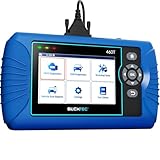
- [All System Diagnostics, Professional-Level Scanner] - BLCKTEC 460T is the ultimate OBD2 diagnostic tool for home mechanics and professionals. It supports all 10 OBD2 modes, reads and clears Engine/Transmission/ABS/SRS codes, performs All-System Diagnostics, offers workshop reset tools, and provides real-time live data. It helps you pinpoint issues, assess your car's condition, and prepare for SMOG checks with ease. NOTE: Function availability depends on your vehicle. Before you buy, be sure to use the Compatibility Checker on BLCKTEC website or contact our customer support to verify that the features you need are supported for your vehicle’s specific year, make, and model.
- [12+ Most Popular Reset Functions] - BLCKTEC 460T OBD2 scanner offers 12+ dealer-level service functions, including Oil Maintenance Reset, ABS Bleeding, EPB Reset, SAS(Steering Angle Sensor) Recalibration, DPF(Diesel Particulate Filter) Reset, Throttle Body Relearn, Battery Reset/Initialization, TPMS Relearn, Transmission Reset, Fluid Change Reset, Maintenance Reset and more, enabling you to perform workshop services like a pro. NOTE: Function availability depends on your vehicle. Be sure to use the Compatibility Checker on BLCKTEC website to verify that the features you need are supported for your vehicle.
- [Real-Time OBD2 and OEM Live Data, Freeze Frame Data] - BLCKTEC 460T helps diagnose vehicle issues when warning lights like Check Engine Light or ABS/SRS Light appear. It offers detailed DTC info, ECU Freeze Frame Data, and real-time OBD2 and advanced OEM live data, including Engine, Transmission, ABS, SRS, and more, making it easy to diagnose and resolve vehicle problems. You can view, graph, record, replay, and overlay up to four live data streams in a single graph for better analysis.
- [AutoVIN, AutoReLink, AutoScan, 3X Faster] - Equipped with AutoVIN technology, 460T automatically retrieves the VIN to save you time. Its AutoScan and AutoReLink features scan all of the vehicle's ECUs and detect any fault codes immediately after you plug the scanner into the vehicle's OBD2 port - no button presses required. Additionally, it regathers DTC and I/M readiness information every 30 seconds, simplifying monitor tests. 460T's advanced technology makes it 3X faster than other products.
- [Get RepairSolutions2, the #1 Auto Repair App for Free] - When paired with RepairSolutions2(RS2) App, 460T becomes even more powerful. RS2's Verified Fix Database built by master technicians, provides the parts needed for the repair. Additionally, RS2 gives you access to OEM warranty info, maintenance schedules, TSB, and dealership recall info, making car care easier than ever. RS2 is free with no subscription fees and it stores your car scan reports in the cloud, allowing you to access, share, or print them anytime and anywhere.

- 【Diagnose Check Engine Light in Seconds – No Mechanic Needed】The FOXWELL NT301 OBD2 scanner instantly reads & clears engine fault codes (DTCs) with one click. Simply plug into the 16-pin DLC port, turn ignition on, and get accurate results within seconds—No prior car knowledge required. Save hundreds on dealership fees by knowing exactly what’s wrong before you visit a shop. The #1 choice car scanner for DIYers and car owners who want to take control of their vehicle’s health
- 【Clear & Reset CEL with Confidence】Unlike cheap code readers that just erase codes temporarily, NT301 works like all professional vehicle code readers: It clears the check engine light only after you’ve fixed the underlying issue. If the problem isn’t fully repaired, the fault code will reappear. So you’ll never get a false pass. Use the foxwell scanner to verify your repair work and drive with peace of mind
- 【Sm-og Check Helper – Know Your Pass/Fail Status Before the Test】With dedicated one-click I/M readiness hotkeys and a simple Red-Yellow-Green LED indicator, you’ll instantly know if your vehicle is ready for annual testing. Built-in speaker provides clear audio feedback. No guesswork—just confidence before you head to the test center. One less thing to worry about when inspection day comes
- 【Advanced OBDII Modes – O- 2 Sensor & EVAP Testing】NT301 go beyond basic code reading with enhanced OBD2 modes. Run an EVAP system check to assess fuel tank condition, and use the O- 2 sensor test to optimize air-fuel ratio, boosting fuel economy, cutting em- issions, and saving you money at the pump. The code reader for cars and trucks is like having a mini em-issions lab in your glove box
- 【Live Data Graphing – Spot Engine Issues in Real Time】View and log live sensor data in easy-to-read graphs with this OBD2 scanner diagnostic tool. Monitor ox- ygen sensors, fuel trims, coolant temperature, RPM, and more to spot suspicious values instantly. This obd scanner gives you professional-grade insight without the pro price tag—a feature you won’t find on basic $20 car code readers
SEOCONTENT-START
Circulate To: General Manager, Service Manager, Parts Manager, Warranty Manager, Service
Advisors, Technicians, Body Shop Manager, Fleet Repair
Technical Service Bulletin
GROUP NUMBER
BODY
ELECTRICAL
19-BE-011H
DATE MODEL(S)
MAY, 2019 ALL
SUBJECT:
BLIND SPOT DETECTION (BSD) OR
BLIND-SPOT COLLISION WARNING (BCW)
This TSB supersedes 18-BE-004-2 to include the notice of down level parts availability and
BSD/BCW warranty coverage information.
Description: The Blind Spot Detection (BSD) or Blind-Spot Collision Warning (BCW) is a system
that measures the speed of and distance from the following vehicles by using two magnetic wave
radar sensors attached in the rear bumper. The BSD/BCW detects vehicle within the blind spot zone
and gives off an alarm (visual and audible). The two magnetic radar sensors provide these functions
for BSD/BCW:
Senses other vehicles in the BSD/BCW zone and turns on the BSD/BCW warning lamp for the
driver. The warning lamp starts blinking, along with an audible sound, when the driver turns
on the turn signal lamp to enter the lane where another vehicle is driving.
This bulletin describes the general operation of the BSD/BCW, provides a radar sensor
troubleshooting guide, and outlines the usage of the BSD/BCW system angle measurement tool.
Applicable Vehicles: All Vehicles Equipped with BSD/BCW
Warranty Information:
Normal Warranty Applies.
In cases of DTC C2702/C2703, if the BSD/BCW sensor(s) is confirmed to be damaged by
external impact or collision accident, BSD/BCW sensor(s) replacement will not be covered
under warranty.
NOTICE
In cases of DTC C2702/C2703 and the bracket(s) is confirmed damaged, then only replace
the bracket(s). See TSB 18-BE-005-1 for available down level BSD/BCW replacement parts.
NOTICE
BLIND SPOT DETECTIONS (BSD) OR BLIND-SPOT COLLISION WARNING (BCW)
TSB #: 19-BE-011H Page 2 of 11
SUBJECT:
Tools Required for BSD/BCW Radar Sensor Angle Measurement: TOOL NAME IMAGE
BCW UNIT CORRECTION TOOL SET
09958-3T500
(Call Bosch at 1-866-539-4248 to order extra kits or parts from the kit listed below)
Components in Detail: NO. PART NUMBER PART NAME QTY. IMAGE
1
099583T500
BCW Unit Correction Tool Set
1 SET
2
099583T010
Vertical Plumb
1EA
3
099583T070
Horizontal Measuring Device
1EA
4
099583T080
BCW Unit Fixing Adaptor
1EA
5
099583T090
Digital Protractor
1EA
6
099583T100
Digital Inclinometer
1EA
7
099583T120
Case, Manual, String, and Rubber Ring
1EA
BLIND SPOT DETECTIONS (BSD) OR BLIND-SPOT COLLISION WARNING (BCW)
TSB #: 19-BE-011H Page 3 of 11
SUBJECT:
BSD/BCW GENERAL INFORMATION
ENVIRONMENTAL FACTORS THAT MAY CAUSE THE BSD/BCW SYSTEM TO MALFUNCTION
BLIND SPOT DETECTIONS (BSD) OR BLIND-SPOT COLLISION WARNING (BCW)
TSB #: 19-BE-011H Page 4 of 11
SUBJECT:
BSD/BCW RADAR SENSOR TROUBLESHOOTING GUIDE
If a vehicle has any of the active codevehicle has any of the active codevehicle has any of the active codevehicle has any of the active code vehicle has any of the active codevehicle has any of the active codevehicle has any of the active codevehicle has any of the active codevehicle has any of the active code vehicle has any of the active codevehicle has any of the active codevehicle has any of the active codevehicle has any of the active code vehicle has any of the active codevehicle has any of the active code vehicle has any of the active codevehicle has any of the active codevehicle has any of the active code vehicle has any of the active codevehicle has any of the active code vehicle has any of the active codevehicle has any of the active code vehicle has any of the active codevehicle has any of the active codes from below, follfrom below, follfrom below, follfrom below, follfrom below, follfrom below, follfrom below, follfrom below, foll from below, foll from below, follfrom below, follfrom below, foll ow the diagram ow the diagram ow the diagram ow the diagram ow the diagram ow the diagram ow the diagram ow the diagram ow the diagram ow the diagram ow the diagram below below below below for troublefor troublefor trouble for trouble for troublefor troublefor troubleshooting shooting shooting shooting shooting shooting assistanceassistance assistanceassistanceassistance :
C270254 C270254 C270254 C270254 C270254 C270254 – Control Module Missing Calibration Control Module Missing CalibrationControl Module Missing Calibration Control Module Missing CalibrationControl Module Missing CalibrationControl Module Missing Calibration Control Module Missing CalibrationControl Module Missing Calibration Control Module Missing CalibrationControl Module Missing CalibrationControl Module Missing Calibration Control Module Missing Calibration Control Module Missing CalibrationControl Module Missing Calibration Control Module Missing Calibration
C270354 C270354 C270354 C270354 C270354 C270354 – Control Module Slave Calibration Control Module Slave CalibrationControl Module Slave Calibration Control Module Slave CalibrationControl Module Slave CalibrationControl Module Slave Calibration Control Module Slave CalibrationControl Module Slave CalibrationControl Module Slave CalibrationControl Module Slave CalibrationControl Module Slave CalibrationControl Module Slave Calibration Control Module Slave Calibration Control Module Slave CalibrationControl Module Slave Calibration Control Module Slave Calibration
***BSD/BCW Sensor Angle Specification:
Model
BSD/BCW Sensor Manufacturer
Horizontal Angle (¢1,¢2 )
Vertical Angle
Azera (HG) 2015-2017 MY
Mando
65 +- 3 degrees
87.25 +- 1 degrees
Elantra (AD) 2017-2018 MY
Mando
54 +- 3 degrees
86.75 +- 1 degrees
Elantra GT (PD) 2018 MY
Mando
54 +- 3 degrees
86.25 +- 1 degrees
Equus (VI) 2014-2016 MY
Mando
68 +- 3 degrees
87.25 +- 1 degrees
Genesis Sedan (DH) 2015-2016 MY
Mando
68 +- 3 degrees
87.25 +- 1 degrees
Ioniq (AE, AE EV) 2017-2018 MY
Mobis
37 +- 2 degrees
90 +- 1 degrees
Santa Fe Sport (AN) 2014-2018 MY
Mobis
38 +- 2 degrees
90 +- 1 degrees
Santa Fe (NC) 2014-2018 MY
Mobis
37 +- 2 degrees
90 +- 1 degrees
Sonata (LF) 2015-2018 MY
Mobis
38 +- 2 degrees
90 +- 1 degrees
Sonata Hybrid (LF HEV, PHEV) 2016-2018 MY
Mobis
37 +- 2 degrees
90 +- 1 degrees
BLIND SPOT DETECTIONS (BSD) OR BLIND-SPOT COLLISION WARNING (BCW)
TSB #: 19-BE-011H Page 5 of 11
SUBJECT:
Model
BSD/BCW Sensor
Manufacturer
Horizontal Angle (¢1,¢2 ) Vertical Angle
Tucson (TL) 2016-2018 MY Mobis 37 +- 2 degrees 90 +- 1 degrees
Kona (OS) 2018 MY Mando 55 +- 3 degrees 87.25 +- 1 degrees
BSD/BCW RADAR SENSOR HORIZONTAL ANGLE MEASUREMENT METHODOLOGY
ILLUSTRATION OF THE RADAR SENSORS HORIZONTAL ANGLE MEASUREMENT METHOD
Line is centered using the middle
of the front and rear emblem.
Projection line parallel to the
radar sensor surface position.
Horizontal Angle measurement
between the radar sensors
projection and the center line.
A
A
B
B
A
¢1 (Left Side) ¢2 (Right Side)
Left Side Radar Sensor
Right Side Radar Sensor
BLIND SPOT DETECTIONS (BSD) OR BLIND-SPOT COLLISION WARNING (BCW)
TSB #: 19-BE-011H Page 6 of 11
SUBJECT:
BSD/BCW RADAR VERTICAL AND HORIZONTAL ANGLE MEASUREMENT PROCEDURE
1.
Ensure the vehicle is on a flat even surface.
2.
Follow the shop manual to remove the rear bumper.
3.
Use the digital inclinometer to measure the vertical angle from each radar sensor and confirm if it is within specification.
If the vertical angle from both radar sensors are within specification then proceed to the next step to measure the horizontal angle.
4.
Find the center point of the front of the vehicle as illustrated in the picture.
Use the center point of the front Hyundai emblem.
Place masking tape underneath the yellow vertical plumb to prevent scratching the paint when removing the tool from the vehicle body.
NOTICE
Masking Tape
String Center of
Emblem
This procedure is best performed in an indoor environment for ease of viewing the laser light.
NOTICE
If the vertical angle(s) is not within specification, then address it first before continuing with measuring the horizontal angles.
NOTICE
BLIND SPOT DETECTIONS (BSD) OR BLIND-SPOT COLLISION WARNING (BCW)
TSB #: 19-BE-011H Page 7 of 11
SUBJECT:
5.
Once the plumb and string are centered with the front Hyundai emblem, place a piece of tape under the plumb bob, then use a permanent marker and mark the center point as illustrated in the picture.
6.
Remove the vertical plumb from the front of vehicle.
7.
Find the center point of the rear of the vehicle as illustrated in the picture.
Use the center point of the rear Hyundai emblem.
Place masking tape underneath the yellow vertical plumb to prevent scratching the paint when removing the tool from the vehicle body.
NOTICE
BLIND SPOT DETECTIONS (BSD) OR BLIND-SPOT COLLISION WARNING (BCW)
TSB #: 19-BE-011H Page 8 of 11
SUBJECT:
8.
Once the plumb and string are centered with the rear Hyundai emblem, place a piece of tape under the plumb bob, then use a permanent marker and mark the center point as illustrated in the picture.
9.
Tie the green string to the black rubber ring.
BLIND SPOT DETECTIONS (BSD) OR BLIND-SPOT COLLISION WARNING (BCW)
TSB #: 19-BE-011H Page 9 of 11
SUBJECT:
10.
Carefully throw the black rubber ring attached to the green string from under the rear of vehicle to the front. Align the green string to the front center point (a) and the rear center point (b) and tape down the string at about 6 ft. away from the rear of the vehicle (c) as illustrated in the picture.
11.
Attach the fixing adapter to the radar sensor.
To attach the tool, align it vertically to the radar sensor and hand tighten the two handles by turning them clockwise.
BLIND SPOT DETECTIONS (BSD) OR BLIND-SPOT COLLISION WARNING (BCW)
TSB #: 19-BE-011H Page 10 of 11
SUBJECT:
12.
Insert the horizontal measuring device, turn the laser ON (select the switch which displays a line), and aim the light to cross the string.
Ensure the metal side is placed against the fixing adapter.
13.
Use the digital protractor to measure the projected laser line to the green string to find the horizontal angle as illustrated in the picture.
In the example to the right the angle is 36.8 degrees.
Measure the angle for both right and left sides.
NOTE: Follow the link from below for an
example of angle measurement:
Metal side
Light ON switch
BLIND SPOT DETECTIONS (BSD) OR BLIND-SPOT COLLISION WARNING (BCW)
TSB #: 19-BE-011H Page 11 of 11
SUBJECT:
14.
Connect the mobile GDS and select “BSD Radar Calibration”. Follow the guided instructions on the mobile GDS for further assistance with validating the BSD/BCW angles.
15.
After completing the angle measurement procedure, perform a DTC scan using the GDS to confirm there are no DTC(s). If no DTC(s) were incurred, then confirm BSD/BCW system is functioning
normally.
NOTE: Follow the link from below for an
example of BSD/BCW operation:
SEOCONTENT-END
This product presentation was made with AAWP plugin.