NHTSA ID Number: 10161753
Manufacturer Communication Number: 19-BE-010H
Summary
This bulletin provides information related to clearing all Diagnostic codes for vehicles equipped with the Blue Link system (Gen 1).
34 Affected Products
Vehicles
| MAKE | MODEL | YEAR |
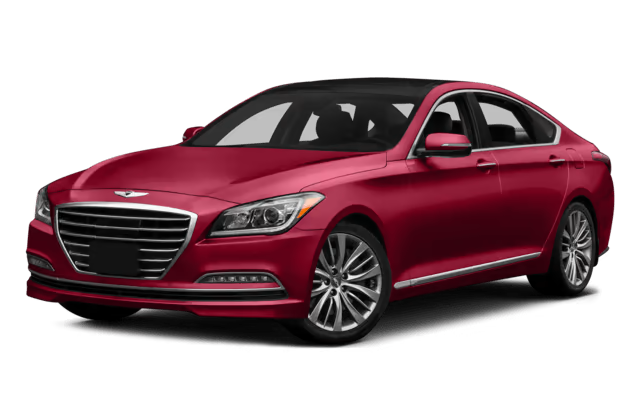
| HYUNDAI | AZERA | 2012-2014 |
| HYUNDAI | ELANTRA | 2013-2016 |
| HYUNDAI | EQUUS | 2014-2016 |
| HYUNDAI | GENESIS | 2013-2014 |
| HYUNDAI | GENESIS COUPE | 2013-2016 |
| HYUNDAI | SANTA FE | 2015-2016 |
| HYUNDAI | SONATA | 2012-2015 |
| HYUNDAI | SONATA HYBRID | 2012-2016 |
| HYUNDAI | TUCSON | 2014-2015 |
| HYUNDAI | VELOSTER | 2012-2016 |
- After repairing a vehicle and clearing all the Diagnostic Code(s) using the GDS, a Blue Link call must be made to completely clear the code(s).
- Before starting the Blue Link code clearing procedure, confirm all of the Diagnostic Codes in HISTORY and ACTIVE status are cleared from the vehicle using GDS.
- Before starting Blue Link code clearing procedure, confirm if the vehicle is already enrolled in Blue Link.
- Once account status has been determined, refer to the appropriate section below for the correct procedure to clear Blue Link Diagnostic Code(s).
NUMBER
19-BE-010H
DATE
May 2019

- 【PLEASE NOTE】Not compatible with GT series models. If your car has a premium sound system or has a large Navi screen, our android head unit for 2014 hyundai elantra radio don't support it. If you are not sure whether the screen for hyundai elantra 2014 stereo is suitable for your car, please send us your car's model, year and a car dashboard picture by Amazon chat, we will help you to check if this car stereo is suitable for your car. We provide online help, user manuals and installation videos.
- 【Android Radio For Hyundai Elantra Upgraded】This Naifay android car stereo fits for hyundai elantra 2014 2015 2016 radio. All necessary cables are provided, no need to cut the cables. Android 12 system, 4-Core processor, 2G RAM+32G ROM, 9inch 2.5D IPS touch screen, wireless carplay & android auto, wireless&wired mirrorlink, offline/online GPS navigation, WIFI connection, bluetooth, FM, AHD backup camera, SWC, split screen, 2 USB, multiple UI choose.
- 【Wireless Carplay & Android Auto】This Naifay stereo for 2015 hyundai elantra radio upgrade replacement is compatible with wireless apple CarPlay and Android Auto. Just connect via Bluetooth & WIFI, you can make calls hands-free with the help of Siri or Goo-gle assistance, easy to get phone contacts, emails, notifications, map navigation, music, videos and more. It means that you can focus more on road safety while driving!
- 【WIFI & GPS Navigation】After connecting to WIFI or mobile hotspot, this Naifay Android car radio for 2014 hyundai elantra stereo supports downloading offline maps or using online navigation. And you can also download your favorite APPs from the 2016 hyundai elantra radio's app store. NOTE: It is recommended to download 1-2 applications for hyundai elantra screen radio, as the running memory is only 2GB. Otherwise, it will freeze.
- 【Wireless MirrorLink & Bluetooth & FM Radio】The Naifay carplay screen for 2016 hyundai elantra stereo supports wireless MirrorLink for iOS and Android, connected via Bluetooth. This stereo for 2015 hyundai elantra screen support hands-free calling, Phonebook calling records download, audio stream music, with high-quality stereo, which can search channels in full-automatic ways, semiautomatic way and accurate adjustment way; Stable FM radio with unlimited preset stations, great sound.
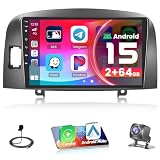
- 【Compatible Vehicle】This upgraded radio dash kit is designed for Hyundai Sonata 2004 2005 2006 2007 2008, please read the detail page or consult our customer service first
- 【Upgraded Android 15 Car Stereo】The Hikity touch screen radio for Hyundai Sonata features a 1080P HD touchscreen for clarity. With 2G RAM + 64G ROM Android, smooth Android OS, multi-functional
- 【Wireless/Wired CarPlay & Android Auto & Mirror Link】This Hikity android radio for Hyundai Sonata supports wireless/wired CarPlay & Android Auto, enabling seamless access to apps & GPS via Bluetooth/USB, keeping hands free
- 【Built-in 5G WiFi & GPS Navigation & Split Screen】For Hyundai Sonata bluetooth car stereo with WiFi for web surfing & app downloads. Real-time GPS. Offline maps. Split screen multitasking
- 【Mirror Link & Bluetooth】For Hyundai Sonata carplay stereo supports Android/IOS mirroring for videos & apps. (Huawei&Samsung NOT support.) For Toyota Camry head unit with Bluetooth enables hands-free calling

- Applicable Models & Years: This upgraded replacement dash kit is for hyundai elantra 2014 2015 2016. The stereo comes with an in-dash head unit, wiring harness cables and frame panel. Cable does NOT support the original car with amplifier (Purchase If Needed). Please check if the power cable port on the detail page matches your original car before purchasing
- Upgrade 8 Cores 4+64G Android 15 Car Radio: Touch screen radio for hyundai elantra with 1280 x 720 screen resolution, support 1920*1080P video playback. Fully capacitive touch screen, easy to operate. Support 32-band EQ options, allows you to enjoy a superior music listening experience. Touch the color circle in the lower left corner of the screen to switch between 19 backgrounds. Long press the main interface to switch 59 desktop themes
- CarPlay & Android Auto & Mirror Link: With 9-inch car play touchscreen and built-in WIRELESS/WIRED CarPlay and Android Auto for superior voice-assisted control and easier access to your phone features, including music, navigation, calls, notification, messages and much more. For hyundai elantra carplay radio can be synced to the onboard screen via WiFi hotspot or the phone's original USB cable. (For Samsung, some cannot use Android Auto and Mirror Link; For Huawei, some cannot use Android Auto)
- GPS Navigation & WiFi Hotspot: Head unit for hyundai elantra accessories contains a built-in GPS module, navigation software such as Waze and free offline maps can be used. With a WiFi/hotspot connection, the online map works perfectly, and you can also download apps from the Play Store such as YouTube, Tiktok, etc., which can enrich your car life
- Hand-free Bluetooth & FM/RDS Radio: For hyundai elantra car stereo supports hands-free calling, phone book download and music playback. The built-in microphone picks up your voice, and your car speaker lets you hear the person on the other side. Stable FM/RDS radio can preset 18 stations, providing channel broadcast, weather forecast and real-time road conditions
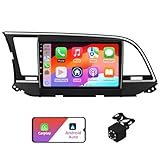
- 【Compatible Models】:Our Android car stereo is suitable for Hyundai Elantra 2016 2017 and 2018.The model number and year are for reference only, please check the shape and size of the center console before placing an order. If you are not sure if it is applicable or if you encounter any problems in the installation, please feel free to contact us.
- 【CarPlay / Android Auto】:AUMUME's car radio for Hyundai Elantra radio supports wireless/wired Carplay&Android Auto.The CarPlay function allows you to use the navigation, make calls, send and receive messages, enjoy music and other functions while driving. And supports Android/IOS mirroring function, which allows you to use various cell phone apps on the in-vehicle screen. Meanwhile, the intelligent voice control assistant can help you focus on road conditions and enjoy smart and safe driving.
- 【Android 13/9" IPS Screen】: For Hyundai Elantra radio has 2+32G Android 13 system with 4-core 1.5GHz CPU to ensure smooth operation and fast response. With 6-pin and 4-pin USB interface. 9 inch HD touch screen with 2.5D glass mirror, anti-scratch and shatter.1280*720P resolution IPS full screen, full viewing angle clear viewing, display color is richer and clearer.
- 【Nondestructive Installation】: Adopt special connector, support plug and play, easy to install, no need to replace any wires. Support AHD HD rear view mirror 720P 25 fps/30 fps, 1080P 25 fps/30 fps, support normal CVBS signal (camera comes with package). For connection and setup method, please refer to the user manual in the outer package.
- 【Built-in GPS/ WiFi】: Connect to WiFi or cell phone hotspot to surf the internet, download and run any APK on android car Hyundai Elantra radio receiver, such as Youtube, Spotify, Netflix, Waze, Maps and so on. Equipped with GPS module, you can browse online or offline maps, get real-time traffic information and plan your driving route to make driving easier.
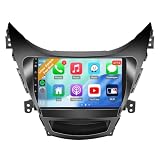
- 🚗 【Applicable Models& Installation】Note: NOT Applicable to vehicles with factory premium audio system or big navi screens. Complete Plug-and-Play kit, powers up in 1-2 seconds. The Leadfan car stereo is compatible with Hyundai Elantra 2011 2012 2013, plug n play. No need to purchase additional accessories.
- 🚗【Fast Boot Linux Car Radio For Elantra】It is suitable for Elantra 2011 2012 2013. Support wired/wireless carplay&android auto, wired mirrorlink, no memory, bluetooth, FM, AM, backup camera, SWC, EQ, multi-format music player, video and audio output, video input, some wallpaper choose.
- 【Wired and Wireless CarPlay & Android Auto】 Leadfan linux car radio for hyundai elantra 2011, supports both wired and wireless CarPlay and Android Auto, allowing you to connect freely as you prefer. Enjoy the convenience of wireless connectivity or the stability of a wired connection. With Siri and Google Assistant voice control, you can effortlessly make calls, use navigation, control music, and more—all without taking your hands off the steering wheel.
- 【9 Inch IPS Screen& Wired Mirror Link】 Our 9 inch 1280*720P IPS HD touchscreen delivers stunning clarity and vibrant colors for videos and apps. For 2012 hyundai elantra radio, supports wired Mirror Link for IOS and Android, enabling full-screen mirroring of YouTube, Google Maps, Spotify and more. Enjoy smooth, immersive in-car entertainment and navigation with sharp, detailed visuals and an outstanding viewing experience.
- 【HD Backup Camera & SWC】:Radio for 2013 hyundai elantra with backup camera, 170-degree ultra-wide angle, waterproof design, help you drive safer and park easier. This car stereo for 2011 hyundai elantra supports the steering wheel control of the original car. Designed to enhance the driving experience, with the steering wheel controls function, you can just use buttons on your steering wheels while driving without taking your hands off the steering wheel.
SEOCONTENT-START
Circulate To: General Manager, Service Manager, Parts Manager, Warranty Manager, Service
Advisors, Technicians, Body Shop Manager, Fleet Repair
Technical Service Bulletin
GROUP
NUMBER
ELECTRICAL
19-BE-010H
DATE
MODEL(S)
May 2019
2012 – 2016
(see chart below)
CLEARING DIAGNOSTIC CODE(S) FROM THE
BLUE LINK SYSTEM (GEN 1)
This bulletin supersedes TSB 12-BE-005-2. To update the applicable vehicles section and provide examples of the head unit type.
Description: This bulletin provides information related to clearing all Diagnostic codes for vehicles equipped with the Blue Link system (Gen 1).
Applicable Vehicles: The matrix below outlines the vehicles where the clearing of DTC codes via Blue Link applies. Please check below to ensure that the vehicle has Blue Link Gen 1 prior to proceeding. Model Year Model Blue Link Gen 1 2012 – 2014 Azera All 2013 – 2016 Elantra All 2014 Elantra Coupe All 2013 – 2015 Elantra GT All 2016 Elantra GT Audio 3.0A 2014 – 2016 Equus All 2013 – 2014 Genesis All 2013 – 2016 Genesis Coupe All 2015 – 2016 Santa Fe All 2012 – 2014 Sonata All 2015 Sonata Audio 3.0B 2012 – 2015 Sonata Hybrid All 2016 Sonata Hybrid Audio 3.0B, AVN 3.0 2014 – 2015 Tucson All 2012 – 2015 Veloster All 2016 Veloster LG Audio
SUBJECT:
Failure to complete this procedure will result in the customer continuing to receive the Blue Link message stating that there is “A possible condition” or “Multiple conditions have occurred” with their vehicle and their Customer Web Portal home page continuing to show the Diagnostic Code(s) as current.
NOTE
CLEARING DIAGNOSTIC CODE (S) FROM THE BLUE LINK SYSTEM (GEN 1)
TSB #: 19-BE-010H Page 2 of 5
SUBJECT:
Head Unit type reference:
Audio 3.0A / 3.0B AVN 3.0 LG Audio
3.0A
3.0B
After repairing a vehicle and clearing all the Diagnostic Code(s) using the
GDS, a Blue Link call must be made to completely clear the code(s).
Before starting the Blue Link code clearing procedure, confirm all of the
Diagnostic Codes in HISTORY and ACTIVE status are cleared from the
vehicle using GDS.
Before starting Blue Link code clearing procedure, confirm if the vehicle is
already enrolled in Blue Link.
Once account status has been determined, refer to the appropriate section
below for the correct procedure to clear Blue Link Diagnostic Code(s).
CLEARING DIAGNOSTIC CODE(S) FROM THE BLUE LINK SYSTEM (GEN 1)
TSB #: 19-BE-010H Page 3 of 5
SUBJECT:
HOW TO DETERMINE IF VEHICLE HAS BEEN ENROLLED IN BLUE LINK:
1. Make sure vehicle is in an open location where cellular signal is not
affected.
2. Turn the vehicle ENGINE ON.
3. Allow engine to idle for at least 10 seconds, and then proceed to the next
step.
4. Press the Blue Link button on the rear view mirror.
5. Wait for the system to prompt “Please say the name of the service”, and
then say “Menu”.
6. The interactive voice will announce one of the available options below
which will determine the blue link account status:
a. Enrolled – “Menu. There are four categories. Please say
Navigation, Information, Entertainment, or Vehicle Assist”.
b. Not Enrolled – “Menu. You can say Port Inspection, Dealer
PDI, Vehicle Report, Navigation Demo, or Goodbye”.
VEHICLE NOT YET ENROLLED IN BLUE LINK:
1. Make sure vehicle is in an open location where cellular signal is not
affected.
2. Disconnect the GDS tool from the OBD-II connector.
3. Turn the ignition ON and then OFF, wait 10 seconds, and repeat ignition
ON and OFF again.
4. Turn the vehicle engine on and allow engine to idle for 10 seconds.
Proceed to the next step.
For HEV, confirm that the “EV mode” “READY” is displayed on the
instrument cluster or the engine is running.
NOTE
CLEARING DIAGNOSTIC CODE (S) FROM THE BLUE LINK SYSTEM (GEN 1)
TSB #: 19-BE-010H Page 4 of 5
SUBJECT:
5. Press the Blue Link button on the rear view mirror.
6. Wait for the system to prompt “Please say the name of the service”, and
then say “Vehicle Report”. System will confirm by stating “Vehicle Report
Submitted”.
7. After confirmation, the system will prompt “Please say the name of the
service”, and then say “Goodbye”. Blue Link system will then disconnect
and end the call.
8. LEAVE ENGINE RUNNING FOR A MINIMUM OF 3 MINUTES, and then
turn the engine off.
9. Turn Engine ON and press the Blue Link button on the rear view mirror.
10. Verify “A possible condition” message is no longer heard.
VEHICLE ALREADY ENROLLED IN BLUE LINK:
1. Make sure vehicle is in an open location where cellular signal is not
affected.
2. Disconnect the GDS tool from the OBD-II connector
*
If the “A possible condition” message is still heard, repeat steps 3-10.
NOTE
For HEV, confirm that the “EV mode” “READY” is displayed on the
instrument cluster or the engine is running.
NOTE
CLEARING DIAGNOSTIC CODE(S) FROM THE BLUE LINK SYSTEM (GEN 1)
TSB #: 19-BE-010H Page 5 of 5
SUBJECT:
3. Turn the ignition ON and then OFF, wait 10 seconds, and repeat ignition
ON and OFF again.
4. Turn the vehicle engine on and allow engine to idle for 10 seconds.
Proceed to the next step.
5. Press the Blue Link button on the rear view mirror.
6. Wait for the system to prompt “Please say the name of the service”, and
then say “Vehicle Assist”.
7. System will confirm by stating “Vehicle Assist, you can say roadside
assistance, agent assistance, service link, quick tip, or main menu”.
Then say “Blue Link Service Complete”. This is a hidden command, so
the Blue Link interactive voice will not list it as an available option.
8. System will confirm by stating “Service complete please say Main Menu or
Goodbye”, then say “Goodbye”. Blue Link system will then disconnect
and end the call.
9. LEAVE ENGINE RUNNING FOR A MINIMUM OF 3 MINUTES, and then
turn the engine off.
10. Turn Engine ON and press the Blue Link button on the rear view mirror
11. Verify “A possible condition” message is no longer heard.
*
If the “A possible condition” message is still heard, repeat steps 3-11.
NOTE
For HEV, confirm that the “EV mode” “READY” is displayed on the
instrument cluster or the engine is running.
NOTE
SEOCONTENT-END
This product presentation was made with AAWP plugin.