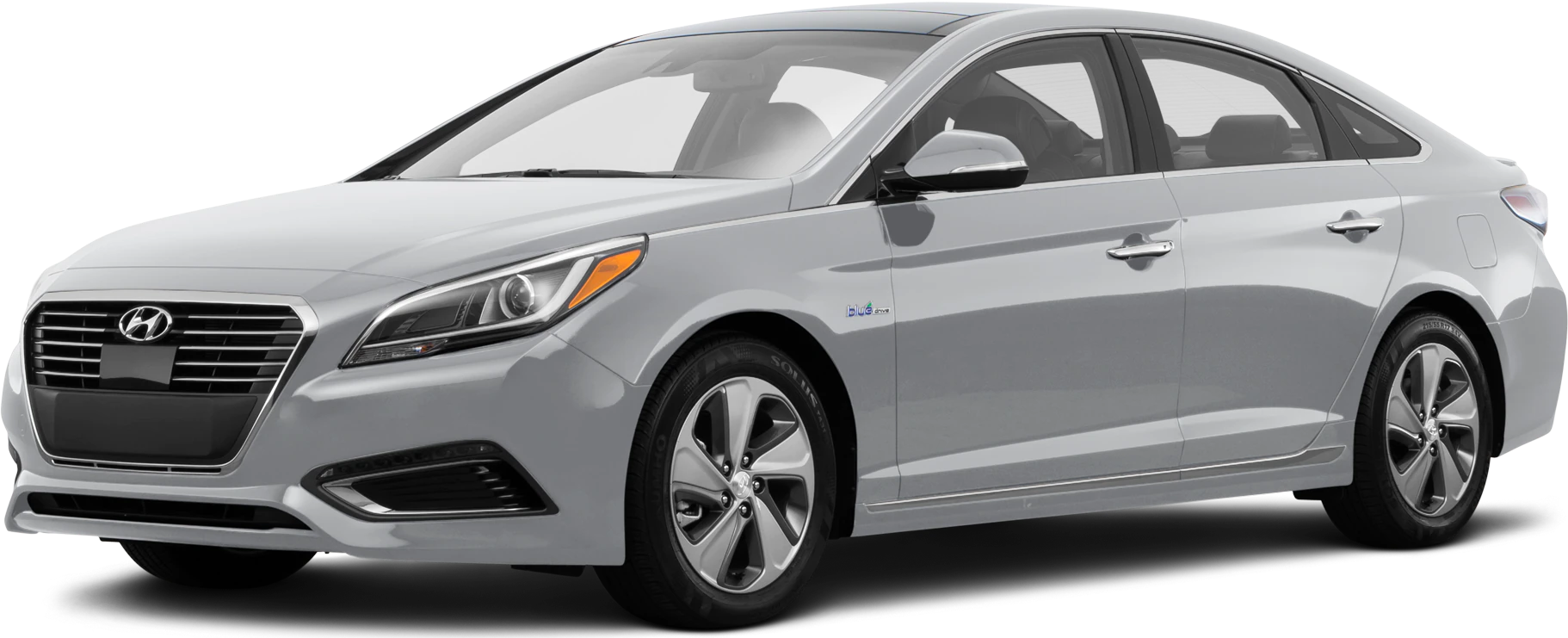
September 24, 2021 NHTSA CAMPAIGN NUMBER: 21V749000
Turn Signal May Activate in Wrong Direction
A turn signal that activates in the opposite direction of what was intended by the driver increases the risk of a crash.
NHTSA Campaign Number: 21V749
Manufacturer Hyundai Motor America
Components EXTERIOR LIGHTING, ELECTRICAL SYSTEM
Potential Number of Units Affected 466,109
Summary
Hyundai Motor America (Hyundai) is recalling certain 2015-2017 Sonata, 2016-2017 Sonata Hybrid, and Sonata Plug-In Hybrid vehicles. The Smart Junction Box (SJB) software logic may not properly interpret the signals received from the multifunction switch, which could cause the turn signal to activate in the opposite direction of what the driver intended.
Remedy
Dealers will update the SJB software, free of charge. Owner notification letters were mailed November 19, 2021. Owners may contact Hyundai customer service at 1-855-371-9460. Hyundai’s number for this recall is 210.
Notes
Owners may also contact the National Highway Traffic Safety Administration Vehicle Safety Hotline at 1-888-327-4236 (TTY 1-800-424-9153), or go to www.nhtsa.gov.
Check if your Hyundai has a Recall

|
Technical Service Bulletin | GROUP
RECALL | NUMBER
21-01-071H |
| DATE
NOVEMBER, 2021 | MODEL(S)
SONATA (LFa) SONATA HYBRID (LF HEV) SONATA PLUG-IN (LF PHEV) | |
| SUBJECT:
SMART JUNCTION BOX (SJB) – TURN SIGNAL CONTROL LOGIC UPDATE (RECALL 210) | ||
IMPORTANT
*** Retail Vehicles ***
As required by federal law, dealer must not deliver new vehicle for sale or for lease to customers until all open recalls have been performed. Dealers must also perform all open recalls on used vehicles, demo, and rental vehicles prior to placing them into customer use and whenever an affected vehicle is in the shop for any maintenance or repair.
When a vehicle arrives at the service department, access Hyundai Motor America’s “Warranty Vehicle Information Screen (VIS)” via WEBDCS to identify open Campaigns.
Description: The Smart Junction Box (“SJB”) software logic may not properly interpret the signals received from the multifunction switch in certain circumstances. As a result, the turn signal may intermittently activate in the opposite direction of what was intended by the driver, thereby increasing the risk of a crash. This bulletin provides information related to the Smart Junction Box (SJB) software update for certain Sonata, Sonata Hybrid, and Sonata Plug-in Hybrid vehicles. This update includes the improvement for the turn signal control logic.
Applicable Vehicles:
- Certain 2015-2017MY Sonata (LFa) produced from 05/02/2014 to 08/17/2016
- Certain 2016-2017MY Sonata Hybrid (LF HEV) produced from 03/17/2015 to 12/27/2017
- Certain 2016-2017MY Sonata Plug-in Hybrid (LF PHEV) produced from 07/31/2015 to 12/21/2017
GDS Information:
System Selection: SJB (Smart Junction Box)
| Event # | Description |
| 744* | LFA TURN SIGNAL CONTROL LOGIC IMPROVEMENT |
| 745* | LF HEV/PHEV TURN SIGNAL CONTROL LOGIC IMPROVEMENT |
(*or use a later available event as listed in the GDS-M if one is available)
ROM ID Information Table:
| Model(s) | SYSTEM | SJB P/NO. | ROM ID | |
| OLD | NEW | |||
| LFa | SJB | 91950-C1010
91950-C1020 91950-C1030 91950-C1040 91950-C1050 91950-C1060 | 1.00 | 2.00 |
| 1.01
1.02 | 2.02 | |||
| 1.03
1.07 1.09 1.12 | 2.12 | |||
| 91950-C2070 | 1.05 | 2.05 | ||
| 1.06
1.10 | 2.10 | |||
| LF HEV/PHEV | 91950-E6010
91950-E6020 91950-E6030 91950-E6040 91950-E6050 91950-E5010 | 1.00
1.01 1.02 1.03 | 2.03 | |
Service Procedure:
CAUTION
■ CAUTIONS DURING CONTROL UNIT UPGRADE
1) Make sure the vehicle’s battery is above 12 volts. If the vehicle has been in storage for days, run the engine to ensure an adequate battery charge state for reliable upgrade results.
2) Turn off all lamps (Do not leave head lamp switch in auto mode) and all accessories (including heater, A/C, blower, radio, seat warmer, defroster, etc.), and do not allow the battery to be discharged during upgrade.
3) Perform upgrade with the ignition switch in the ON position.
4) Be careful not to disconnect any cables connected to the vehicle or scan tool during upgrade.
5) Do not start the engine during upgrade.
6) Do not turn off the ignition switch during upgrade.
7) Do not touch the system buttons (like ‘BACK’, ‘HOME’, ‘etc.’) while performing upgrade.
■ CONTROL UNIT UPGRADE PROCEDURE USING THE GDS-Mobile
1. GDS (Global Diagnostic System)-Mobile INSTALLATION PROCEDURE
1. Connect the VCI-II into the vehicle’s DLC connector under the driver side instrument panel and check to turn the VCI-II on.
Before starting the update, make certain that the battery of the Tablet PC is sufficiently charged.
ECU upgrade function on GDS-Mobile is basically operating in wireless communication and Wi-Fi direct. Also, it’s possible to be performing via USB cable between Tablet PC and VCI -II.
2. AUTOMATIC UPGRADE PROCEDURE USING THE GDS-MOBILE
1. Select ECU Upgrade on the initial screen after entering the vehicle information.
Select Auto Mode.
2. Click on SJB system and click on ID Check.
3. The GDS-Mobile will read the current ROM ID in vehicle and check the newest upgrade event.
Select the upgrade event.
Choose between:
- 744 for LFA Turn Signal Control Logic Improvement
- 745 For LF HEV / PHEV Turn Signal Control Logic Improvement
4. The vehicle battery voltage is checked to make sure it is at least 12 volts to ensure reliable upgrade results. Click OK if the
results indicate voltage is OK.
WARNING
If battery voltage is below 12 voltages as below, click BACK and then run the engine to ensure an adequate battery charge state for reliable upgrade results.
5. Upgrade (1/2) will begin, and the progress of the upgrade will appear on the bar graph. Upgrade (1/2) will occur until 100% is reached on the bar graph.
6. Upgrade (2/2) will begin, and the progress of the upgrade will appear in the bar graph.
Upgrade (2/2) will occur until 100% is reached on the bar graph.
After progress bar reaches 100%, turn the ignition key off for 10 seconds. Turn the key back to the on position, and then click OK to continue according to information displayed on the screen.
7. Click OK on the final screen, which indicates upgrade is complete.
8. Check if any incidental Diagnostic Trouble Codes (DTC) have been created by the upgrade and clear the DTC(s) present.
9. Start the engine to confirm proper operation of the vehicle.
3. MANUAL UPGRADE PROCEDURE USING THE GDS-MOBILE
NOTE:
- The manual upgrade should be performed only when the automatic upgrade fails.
- If automatic upgrade fails, turn the ignition key off for about 10 seconds, place it back in the on position to reset the control unit before performing manual upgrade.
1. Within the upgrade screen, select Manual Mode, then select upgrade event.
2. Select the control unit part number with reference to the above ROM ID Information Table (Page 2) and click Upgrade.
3. Enter the password from the below table then click OK.
#744
| MENU | PASSWORD |
| LF SJB 91950-C1010/20/30/40/50/60 (SW100) | 9195 |
| LF SJB 91950-C1010/20/30/40/50/60 (SW101/2) | 5919 |
| LF SJB 91950-C1010/20/30/40/50/60 (SW103/7/9/12) | 5060 |
| LFa SJB 91950-C2070 (SW105) | 2070 |
| LFa SJB 91950-C2070 (SW106/110) | 0702 |
#745
| MENU | PASSWORD |
| LF HEV/PHEV SJB 91950-E6010/20/30/40/50/5010 (SW100/1/2/3) | 0501 |
4. The vehicle battery voltage is checked to make sure it is at least 12 volts to ensure reliable upgrade results. Click OK if the
results indicate voltage is OK.
WARNING
If battery voltage is below 12 volts, click BACK and then run the engine to ensure an adequate battery charge state for reliable upgrade results.
5. Upgrade (1/2) will begin, and the progress of the upgrade will appear on the bar graph. Upgrade (1/2) will occur until 100% is reached on the bar graph.
6. Upgrade (2/2) will begin, and the progress of the upgrade will appear in the bar graph.
Upgrade (2/2) will occur until 100% is reached on the bar graph.
After progress bar reaches 100%, turn the ignition key off for 10 seconds. Turn the key back to the on position, and then click OK to continue according to information displayed on the screen.
7. Click OK on the final screen, which indicates upgrade is complete.
8. Check if any incidental Diagnostic Trouble Codes (DTC) have been created by the upgrade and clear the DTC(s) present.
9. Start the engine to confirm proper operation of the vehicle.
Customer FAQ
Q1: What is the safety concern?
A1: A turn signal that activates in the opposite direction of what was intended by the driver increase the risk of a crash.
Q2: What will be done during the recall service at the dealer?
A2: All owners of the subject vehicles will be notified by first class mail with instructions to bring their vehicles to a Hyundai dealer to have the Smart Junction Box (SJB) software logic updated. The remedy procedure will be performed at no charge. Hyundai will provide reimbursement to owners for repairs according to the plan submitted to the NHTSA on May 16, 2018.
Customer Notification
Owners be mailed notification letters in mid-November 2021 with a remedy available for this recall.
RECALL 210 ATTACHMENT A
CHRONOLOGY OF EVENTS LEADING UP TO DEFECT DECISION
- August 2020 – April 2021
In August 2020, HMA’s NASO identified five (5) Vehicle Owner Questionnaires (“VOQ”) indicating turn signal malfunctions on certain model year 2015-2017 Hyundai Sonata vehicles. The alleged conditions of the malfunction varied on misdirection by one or more turn signal lamps during normal operation. NASO began routine field data analysis to identify and analyze specific trends in alleged improper operation of the vehicle’s turn signal lamps.
- May 2021 – August 2021
In May 2021, NASO’s newly-formed Data Analytics (“DA”) team began review of identified reports alleging turn signal misdirection on the subject vehicles under its new process for pre-investigation of safety-related quality concerns. During this time, Kia North America (“Kia NA”) became aware of Vehicle Owner Questionnaires (“VOQ”) indicating turn signal malfunctions on certain model year 2015-2016 Kia Sedona vehicles. KMNA conducted a review of internal records and was able to confirm intermittent turn signal operation on a recovered incident multifunction switch assembly. Kia NA initiated ongoing collection of warranty switches for further analysis by Kia Corporation (“Kia HQ”).
In July 2021, Kia NA initiated a warranty extension for multifunction switches on model year 20152016 Kia Sedona vehicles aimed at expediting recovery of warranty parts for analysis by Kia HQ. Kia HQ continued testing of incident switches during this time but was unable to replicate the condition.
In August 2021, Kia HQ expanded their investigation to other Kia-badged peer vehicles and noted that while some vehicles used the same multifunction switch as the subject vehicles, there were no similar turn signal misdirection claim trends. Kia HQ also noted the Smart Junction Box software logic used in the subject vehicles originated from a different supplier than other vehicles equipped with the same multifunction switch. Kia HQ investigated further and, based on confirmation of a software logic change during the latter part of 2017 Sedona vehicle production, determined that the software logic used in certain model year 2015-2017 Kia Sedona vehicles may not properly interpret signals received from the multifunction switch in certain circumstances. Kia HQ shifted focus to replication efforts through testing of the software logic and expanding their investigation to all products using the similar logic, including Hyundai products.
- September 2021
On September 8, 2021, Hyundai Motor Company (“HMC”) notified HMA’s NASO of Kia’s investigation findings. NASO escalated DA’s analysis to the Technical Review Committee (“TRC”) for a complete investigation into the suspected defect condition. On September 9, 2021, Kia HQ successfully replicated the misdirection condition. According to Kia HQ, similar testing using improved Smart Junction Box software logic eliminated the condition. NASO’s TRC concluded their investigation and identified 631 warranty claims involving model year 2015-2017 Hyundai Sonata vehicles indicating a condition similar to the misdirection condition replicated by Kia. Based on this analysis and the results of Kia’s investigation, NASO’s TRC recommended to escalate the investigation to the North American Safety Decision Authority (“NASDA”) for further review.
On September 17, NASO convened its North American Safety Decision Authority and decided to conduct a safety recall to address the above condition in affected vehicles in the U.S. market.
As of the date of this filing, Hyundai has identified 631 claims related to the recall condition.
Hyundai is not aware of any crashes or injuries related to the recall condition.
7 Affected Products
Vehicles
| MAKE | MODEL | YEAR |
| HYUNDAI | SONATA | 2015-2017 |
| HYUNDAI | SONATA HYBRID | 2016-2017 |
| HYUNDAI | SONATA PLUG-IN HYBRID | 2016-2017 |
10 Associated Documents
Manufacturer Notices(to Dealers,etc) – Recall 210: SMART JUNCITON BOX (SJB) TURN SIGNAL CONTROL LOGIC UPDATE – Dealer Best Practice (TSB# 21-01-071H): November 18, 2021
RCMN-21V749-7488.pdf 326.838KB
Remedy Instructions and TSB
RCRIT-21V749-8465.pdf 862.936KB
ISSUED Owner Notification Letter(Part 577)
RCONL-21V749-4601.pdf 262.266KB
Recall 573 Report – Amendment 1
RCLRPT-21V749-2050.PDF 214.536KB
Defect Notice 573 Report
RCLRPT-21V749-5765.PDF 214.536KB
Miscellaneous Document – CHRONOLOGY
RMISC-21V749-1255.pdf 90.732KB
Recall Acknowledgement
RCAK-21V749-8330.pdf 645.631KB
Manufacturer Notices(to Dealers,etc) – Recall 210 Smart Junction Box – Dealer Best Practice
RCMN-21V749-3712.pdf 244.651KB
Recall Quarterly Report
RCLQRT-21V749-8649.PDF 211.16KB
Recall Quarterly Report #3, 2022-2
RCLQRT-21V749-0872.PDF 211.363KB
Latest Recalls Documents
Hyundai Reprogramming
J2534 Diagnostic & Reprogramming - Hyundai
J2534 Reprogramming Software:
The Hyundai Motor America (HMA) J2534 reprogramming software allows for a common method of communication between aPC and a vehicle electronic control unit (ECU). U.S. EPA and CARB regulations mandate that all 2004 and later vehicle powertrain ECUs support emission-related reprogramming.
Vehicle Communication Interfaces (VCI)
The Hyundai J2534 Reprogramming and Diagnostic Tool software supports a SAE J2534-1/2 compliant passthru VCI device for use on Hyundai vehicles sold in the US. The devices, firmware, and application programming interfaces listed below have been tested by HMA and under no circumstances do we recommend the use of a non-approved J2534 device. HMA has worked closely with the following J2534 device manufacturers to ensure the hardware and software comply with all J2534-1/2 specifications.
https://www.hyundaitechinfo.com/external/j2534_diagnostics_and_programming.aspx

- J2534 Pass-Thru Programmer: TOPDON RLink J2534 is an advanced diagnostic and reprogramming tool that support all J2534 protocols, as well as D-PDU, CAN-FD and DoIP, ensuring compatibility with a wide range of modern vehicles. It offers extensive versatility with support for over 18 major automotive brands, including Chrysler, Ford, GM, Nissan, Toyota, Honda, Subaru, Land Rover/Jaguar, Volvo, Wuling, Volkswagen/Audi, Mercedes-Benz, and BMW. NOTE: Not compatible with Ford IDS diagnostic software
- All-in-One OEM Diagnostics: This J2534 ECU programming tool elevates your automotive repair capabilities to new heights by delivering complete OEM diagnosis. Boasting comprehensive full-system diagnostics, intuitive repair guides, advanced ECU programming and coding, common reset services, a vast library of repair information and more, this all-in-one solution empowers technicians to effortlessly tackle complex vehicle issues with ease. *Not compatible with 24V vehicles
- Proven Performance You Can Trust: Backed by over 10000 real vehicle tests and benefit from a wealth of practical experience, this OEM reprogramming tool guarantees stable and exceptional performance. Supported by TOPDON's dedicated technical experts with in-depth knowledge of both auto repair and J2534 Pass-Thru programming, the RLink J2534 provides prompt and professional assistance, ensuring a smooth setup and reliable compatibility
- Integrated Excellence, Always Up-to-Date: Featuring the exclusive RLink Platform to provide a streamlined experience with one-click driver installation and management, ensuring flawless integration with your OE software, maintaining the original performance quality. The built-in operation guide makes mastering OE software quick and easy, so you can get started right away. Plus, with lifetime free updates, your diagnostics will stay current with the latest drivers and innovations
- Efficiency Meets Versatility: Engineered to support three CAN channels simultaneously - CAN FD and CAN-CC included, giving you the edge in fast troubleshooting. To perfectly synchronized with the OE software, please diagnose with active subscriptions and make sure your computer system is running a compatible 64-bit Windows version (7, 8, 10 or later) to fully leverage the power of RLink J2534. *We don't provide extra OE software

- Advanced VCI Box, Industry-leading J2534 Pass-Thru Technology: This J2534 Pass-Thru Programmer is designed espically for technicians, independent shop owners, and DIY enthusiasts, enables fast, reliable computer-based programming. It supports all J2534 protocols—including the latest DoIP and CAN FD—ensuring full compatibility with both legacy and next-generation vehicles.
- High-Speed OEM-Level Diagnostics & Programming: Unlock true OEM functionality with comprehensive system diagnostics, guided troubleshooting, coding, adaptations, resets, and programming—all designed to slash repair time. This all-in-one tool eliminates the need for multiple OEM devices, boosting efficiency and cutting costs. Equipped with High-Speed USB, it delivers 10x more data per second than competing solutions
- Coverage for 17 Car Brands & Ultra Reliability: Works seamlessly for Chrysler, for Ford(Forscan), for GM, for Nissan, for Toyota, for Honda, for Subaru(SSM4), for Land Rover/Jaguar, for Volvo, for Wuling, for Volkswagen, for Mercedes-Benz, and for BMW. Backed by over 10000 real vehicle tests and benefit from a wealth of practical experience, this OEM reprogramming tool guarantees stable and exceptional performance
- User-Friendly RLink Platform & Expert Support: TOPDON’s proprietary driver management platform offers a clean interface and lifetime free updates. Access a rich library of real-world case studies to stay ahead of the curve. Backed by a support team with 10+ years of J2534 and automotive repair experience, we provide one-on-one assistance to resolve any technical issue.
- 6.6 ft USB-C Cable & Portable Storage Case: The RLink J2534 diagnostic tool features a 6.6ft USB 2.0 Cable and a 1.2 ft OBDII Extension Cable, allows to connection your computer easily outside the vehicle. The included handled carry case offers easy portability, storage, and hanging options—keeping your gear clean and ready to go, anywhere.

- Dual WiFi & 10.1" Touchscreen: Provides a stable, high-speed wireless link 3x faster than bluetooth, and a responsive, professional interface. Topdon ONE obd2 scanner diagnostic tool ensures smooth, non-lagging diagnostic scan, boosting mechanic efficiency
- J2534 Pass-Thru Support: The included ONE VCI supports the J2534 standard, allowing it to function as a pass-thru device when paired with OEM diagnostic software.Through TOPDON’s RLink platform, technicians can perform dealer-level coding, expanding in-house capabilities without investing in multiple factory automotive scan tools
- OE Topology Mapping: Visualize the vehicle’s ECU network exactly as it’s built.Zoom, pan, and highlight specific modules to pinpoint component issues with precision.Topology mapping displays real-time communication between modules
- 50+ Service Functions: Covers high-demand services like ADAS calibration, DPF regen, TPMS reset, ABS bleed, and throttle adaptation.Expands your service menu, allows you to charge premium rates, and turns away zero jobs due to lack of tooling. Vehicle-specific functionality may vary
- Advaned ECU Coding: 10 of the most serviced brands in North America, including full ECU coding and flash hidden support for BMW, VW, Au-di, Benz, Porsche, Toyota, Ni ssan and more. Enables module replacement, feature customization, and personal settings with automatic backup or restore.Lets your shop safely offer high-margin customization services, attracting more customers and boosting profit

- [J2534 Pass-Thru Programmer] - TOPDON RLink J2534 is engineered for professional technicians, delivering OEM diagnostic and reprogramming capabilities. It supports all J2534 protocols, CAN-FD, DoIP, D-PDU. Compatible with 17 vehicle brands—such as Chrysler, Ford, GM, KIA, Hyundai, Nissan, Toyota, Honda, Subaru, Mitsubishi, MAZDA, Land Rover/Jaguar, Volvo, Volkswagen/Audi, Mercedes-Benz, and BMW. RLink J2534 can help reduce the cost of purchasing equipment from different brands.
- [All-in-One OEM Reprogramming and Diagnostics] - When seamlessly integrated with OEM diagnostic software, this dongle enables you to perform a wide range of functions, including ECU programming and coding, DTC reading and clearing, active tests, component matching, adaptations, rewriting, guided troubleshooting, and more. This all-in-one tool eliminates the need for multiple OEM devices, significantly boosting work efficiency.
- [Tested, Trusted, and Proven for Accuracy] - TOPDON RLink J2534 is renowned for its reliability, having successfully completed over 10,000 real-vehicle tests. The wealth of data and hands-on experience behind it ensures consistent performance and accurate results. You can trust this tool to deliver optimal performance.
- [One-Click Installation, Continuous Updates] - The exclusive TOPDON RLink platform streamlines installation with a one-click driver setup, allowing you to quickly access OEM software for diagnostic and reprogramming tasks. With lifetime free updates, your RLink J2534 stays current without any additional cost, ensuring reliable performance for the long term. *We don't provide extra OE software.
- [Works with Windows Compatibility and OEM Software Subscription] - The RLink J2534 supports three CAN channels - including CAN FD and CAN-CC, providing advantages in the process of rapid troubleshooting. Compatible with Windows 7, 8 and 10 (64-bit) and higher versions of the system. For full functionality, an active OEM software subscription is required for each supported vehicle brand. Please note that the dongle does not include OEM software, which must be purchased separately to access brand-specific diagnostic and reprogramming features.

- 💯【Conta.ct us for Support Directly】For any issues experienced after purchase, please reach out to: 📞autelsupply@ outlook. com🛣️. Our team will provide perfect solution for you. For tech support or [explore additional accessory], please cont.act our team: 📞autelsupply@ outlook. com🛣️.
- 🌎【Autel J2534 Pass-Thru Progra.mmer】As an OEM Pass-Thru Progra.mmer Vehicle interface for multiple makes, Autel MaxiFlash J2534 support all J2534 protocols, D-PDU, CAN-FD and DoIP protocols. 2026 newer Autel MaxiFlash J2534 VCI can works with P-C and download OEM vehicle software, seamlessly conduct OE-level diagnostic-progra.mming-c0ding. Also, Work with Elite II Pro/ Ultra Lite/ MS909/ MS909CV/ MS909EV to directly pro.gram on Merce.des-Be.nz & BM.W. Autel J2534 Progr.ammer is a multi-functional device and supports 10+ major brands, including for Hond.a, G.M, LandRo.ver, BM.W, Chrysl.er, For.d, Hyun.dai, Ki.a, Merc.edes B.enz, Toyot.a, Volksw.agen etc.
- 🌎【Enhanced Protocol: J2534/D-PDU/RP1210/CAN FD/DoIP】Autel MaxiFlash JVCI is a blueto.oth communicate device, it supports latest CAN FD DoIP CAN protocols, compliant with automotive D-PDU/ J2534/ RP1210 standards. It can perform standard PassThru J2534 functions: compatible with Toyota Techstream, Volvo VIDA, Honda HDS, Jaguar Land Rover IDS and BM.W 3G for OEM diagnostics. CAN FD protocol is mainly for GM 2019+, DoIP protocol is mainly for Volvo 2018+, for L-and Rover/for Jaguar 2017+, for BM.W F chassis and G chassis.
- 🌎【Compatible with P-C/ WIND.OWS 】The Autel J2534 VCI can be connected to a compu.ter via a data cable; once the corresponding OEM software is installed, it enables do advanced progr.amming and c0ding on your vehicles. Easy Steps: 1) Connect to P-C via a USB cable 2) download OEM vehicle software 3) Start Diagnose. Take For.d for example, you can download OEM software on mot.orcraft.erservi.ce website, such as: For.d Diagnostic Software downloads, As B.uilt Data, Updated Cali.bration information, then use different software do relevant features.
- 🌎【Work with Autel Elite II Pro/ Ultra Lite/ MS909/ MS909CV/ MS909EV】This 2026 latest Autel J2534 Pass-Thru VCI is 100% compatible with Autel Elite II Pro Ultra Lite MS909 MS909CV MS909EV to perform advanced functions from diagnose to progra.mming.

- 【Advanced VCI Box, Industry-leading J2534 Pass-Thru Technology】This J2534 Pass-Thru Tool is designed espically designed for Professional Technicians and Advanced DIYers. This J2534 Pass-Thru device acts as a bridge between your vehicle and OEM software (sold separately), enabling dealership-level programming and diagnostics. It supports all J2534 protocols—including the latest DoIP and CAN FD—ensuring full compatibility with both legacy and next-generation vehicles.
- 【High-Speed OEM-Level Diagnostics and Functions】Unlock true OEM functionality with comprehensive system diagnostics, guided troubleshooting, coding, adaptations, resets, and rewriting—all designed to slash repair time. This all-in-one tool eliminates the need for multiple OEM devices, boosting efficiency and cutting costs. Equipped with High-Speed USB, it delivers 10x more data per second.
- 【Coverage for 8 Car Brands & Ultra Reliability】Compatible with Factory OEM Software.Fully supports J2534 protocols to work with Manufacturer subscriptions: for Chrysler, for Ford(Forscan), for GM, for Nissan, for Toyota, for Honda, for Fiat/Alfa Romeo/Lancia/Dodge/Ram/Jeep, and for VW/Audi. Backed by over 10000 real vehicle tests and benefit from a wealth of practical experience, this OEM J2534 tool guarantees stable and exceptional performance.
- 【User-Friendly RLink Platform & Expert Support】TOPDON’s proprietary driver management platform offers a clean interface and lifetime free updates. Access a rich library of real-world case studies to stay ahead of the curve. Backed by a support team with 10+ years of J2534 and automotive repair experience, we provide one-on-one assistance to resolve any technical issue. Note: This device requires a computer running Windows 7, 8, 10, or 11 (64-bit or later).
- 【6.6 ft USB-C Cable & Portable Storage Case】 The RLink J2534 diagnostic tool features a 6.6ft USB 2.0 Cable, allows to connection your computer easily outside the vehicle. The included handled carry case offers easy portability, storage, and hanging options—keeping your gear clean and ready to go, anywhere.
SEOCONTENT-START
Circulate To: General Manager, Service Manager, Parts Manager, Warranty Manager, Service Advisors, Technicians, Body Shop Manager, Fleet Repair Technical Service Bulletin GROUP NUMBER RECALL 21-01-071H DATE MODEL(S) NOVEMBER, 2021 SONATA (LFa) SONATA HYBRID (LF HEV) SONATA PLUG-IN (LF PHEV) SUBJECT: SMART JUNCTION BOX (SJB) – TURN SIGNAL CONTROL LOGIC UPDATE (RECALL 210) Description: The Smart Junction Box (“SJB”) software logic may not properly interpret the signals received from the multifunction switch in certain circumstances. As a result, the turn signal may intermittently activate in the opposite direction of what was intended by the driver, thereby increasing the risk of a crash. This bulletin provides information related to the Smart Junction Box (SJB) software update for certain Sonata, Sonata Hybrid, and Sonata Plug-in Hybrid vehicles. This update includes the improvement for the turn signal control logic. Applicable Vehicles: • Certain 2015-2017MY Sonata (LFa) produced from 05/02/2014 to 08/17/2016 • Certain 2016-2017MY Sonata Hybrid (LF HEV) produced from 03/17/2015 to 12/27/2017 • Certain 2016-2017MY Sonata Plug-in Hybrid (LF PHEV) produced from 07/31/2015 to 12/21/2017 Warranty Information: Model(s) Op Code Operation Op. Time Causal Part Nature Code Cause Code Sonata (LFa) 11D206R0 SJB UPGRADE 0.3 M/H 91950-C1020 I14 ZZ3 Sonata Hybrid/Plug-in (LF HEV/PHEV) 11D206R1 SJB UPGRADE 0.3 M/H 91950-E6010 I14 ZZ3 NOTE 1: Submit Claim on Campaign Claim Entry Screen NOTE 2: If a part that is not covered by this recall is found in need of replacement while performing this recall and the affected part is still under warranty, submit a separate warranty claim using the same Repair Order. If the affected part is out of warranty, submit a Prior Approval Request for goodwill consideration prior to performing the work. *** Retail Vehicles *** As required by federal law, dealer must not deliver new vehicle for sale or for lease to customers until all open recalls have been performed. Dealers must also perform all open recalls on used vehicles, demo, and rental vehicles prior to placing them into customer use and whenever an affected vehicle is in the shop for any maintenance or repair. When a vehicle arrives at the service department, access Hyundai Motor America’s “Warranty Vehicle Information Screen (VIS)” via WEBDCS to identify open Campaigns. IMPORTANT SMART JUNCTION BOX (SJB) – TURN SIGNAL CONTROL LOGIC UPDATE (RECALL 210) TSB #: 21-01-071H Page 2 of 10 SUBJECT: SUBJECT: GDS Information: System Selection: SJB (Smart Junction Box) Event # Description 744* LFA TURN SIGNAL CONTROL LOGIC IMPROVEMENT 745* LF HEV/PHEV TURN SIGNAL CONTROL LOGIC IMPROVEMENT (*or use a later available event as listed in the GDS-M if one is available) ROM ID Information Table: Model(s) SYSTEM SJB P/NO. ROM ID OLD NEW LFa SJB 91950-C1010 91950-C1020 91950-C1030 91950-C1040 91950-C1050 91950-C1060 1.00 2.00 1.01 1.02 2.02 1.03 1.07 1.09 1.12 2.12 91950-C2070 1.05 2.05 1.06 1.10 2.10 LF HEV/PHEV 91950-E6010 91950-E6020 91950-E6030 91950-E6040 91950-E6050 91950-E5010 1.00 1.01 1.02 1.03 2.03 SMART JUNCTION BOX (SJB) – TURN SIGNAL CONTROL LOGIC UPDATE (RECALL 210) TSB #: 21-01-071H Page 3 of 10 SUBJECT: SUBJECT: Service Procedure: ■ CONTROL UNIT UPGRADE PROCEDURE USING THE GDS-Mobile 1. GDS (Global Diagnostic System)-Mobile INSTALLATION PROCEDURE 1. Connect the VCI-II into the vehicle’s DLC connector under the driver side instrument panel and check to turn the VCI-II on. Before starting the update, make certain that the battery of the Tablet PC is sufficiently charged. ECU upgrade function on GDS-Mobile is basically operating in wireless communication and Wi-Fi direct. Also, it’s possible to be performing via USB cable between Tablet PC and VCI-II. ■ CAUTIONS DURING CONTROL UNIT UPGRADE 1) Make sure the vehicle’s battery is above 12 volts. If the vehicle has been in storage for days, run the engine to ensure an adequate battery charge state for reliable upgrade results. 2) Turn off all lamps (Do not leave head lamp switch in auto mode) and all accessories (including heater, A/C, blower, radio, seat warmer, defroster, etc.), and do not allow the battery to be discharged during upgrade. 3) Perform upgrade with the ignition switch in the ON position. 4) Be careful not to disconnect any cables connected to the vehicle or scan tool during upgrade. 5) Do not start the engine during upgrade. 6) Do not turn off the ignition switch during upgrade. 7) Do not touch the system buttons (like ‘BACK’, ‘HOME’, ‘etc.’) while performing upgrade. ! CAUTION SMART JUNCTION BOX (SJB) – TURN SIGNAL CONTROL LOGIC UPDATE (RECALL 210) TSB #: 21-01-071H Page 4 of 10 SUBJECT: SUBJECT: 2. AUTOMATIC UPGRADE PROCEDURE USING THE GDS-MOBILE 1. Select ECU Upgrade on the initial screen after entering the vehicle information. Select Auto Mode. 2. Click on SJB system and click on ID Check. SMART JUNCTION BOX (SJB) – TURN SIGNAL CONTROL LOGIC UPDATE (RECALL 210) TSB #: 21-01-071H Page 5 of 10 SUBJECT: SUBJECT: 3. The GDS-Mobile will read the current ROM ID in vehicle and check the newest upgrade event. Select the upgrade event. Choose between: • 744 for LFA Turn Signal Control Logic Improvement • 745 For LF HEV / PHEV Turn Signal Control Logic Improvement 4. The vehicle battery voltage is checked to make sure it is at least 12 volts to ensure reliable upgrade results. Click OK if the results indicate voltage is OK. 5. Upgrade (1/2) will begin, and the progress of the upgrade will appear on the bar graph. Upgrade (1/2) will occur until 100% is reached on the bar graph. If battery voltage is below 12 voltages as below, click BACK and then run the engine to ensure an adequate battery charge state for reliable upgrade results. ! WARNING SMART JUNCTION BOX (SJB) – TURN SIGNAL CONTROL LOGIC UPDATE (RECALL 210) TSB #: 21-01-071H Page 6 of 10 SUBJECT: SUBJECT: 6. Upgrade (2/2) will begin, and the progress of the upgrade will appear in the bar graph. Upgrade (2/2) will occur until 100% is reached on the bar graph. After progress bar reaches 100%, turn the ignition key off for 10 seconds. Turn the key back to the on position, and then click OK to continue according to information displayed on the screen. 7. Click OK on the final screen, which indicates upgrade is complete. 8. Check if any incidental Diagnostic Trouble Codes (DTC) have been created by the upgrade and clear the DTC(s) present. SMART JUNCTION BOX (SJB) – TURN SIGNAL CONTROL LOGIC UPDATE (RECALL 210) TSB #: 21-01-071H Page 7 of 10 SUBJECT: SUBJECT: 9. Start the engine to confirm proper operation of the vehicle. 3. MANUAL UPGRADE PROCEDURE USING THE GDS-MOBILE NOTE: • The manual upgrade should be performed only when the automatic upgrade fails. • If automatic upgrade fails, turn the ignition key off for about 10 seconds, place it back in the on position to reset the control unit before performing manual upgrade. 1. Within the upgrade screen, select Manual Mode, then select upgrade event. SMART JUNCTION BOX (SJB) – TURN SIGNAL CONTROL LOGIC UPDATE (RECALL 210) TSB #: 21-01-071H Page 8 of 10 SUBJECT: SUBJECT: 2. Select the control unit part number with reference to the above ROM ID Information Table (Page 2) and click Upgrade. 3. Enter the password from the below table then click OK. #744 MENU PASSWORD LF SJB 91950-C1010/20/30/40/50/60 (SW100) 9195 LF SJB 91950-C1010/20/30/40/50/60 (SW101/2) 5919 LF SJB 91950-C1010/20/30/40/50/60 (SW103/7/9/12) 5060 LFa SJB 91950-C2070 (SW105) 2070 LFa SJB 91950-C2070 (SW106/110) 0702 #745 MENU PASSWORD LF HEV/PHEV SJB 91950-E6010/20/30/40/50/5010 (SW100/1/2/3) 0501 SMART JUNCTION BOX (SJB) – TURN SIGNAL CONTROL LOGIC UPDATE (RECALL 210) TSB #: 21-01-071H Page 9 of 10 SUBJECT: SUBJECT: 4. The vehicle battery voltage is checked to make sure it is at least 12 volts to ensure reliable upgrade results. Click OK if the results indicate voltage is OK. 5. Upgrade (1/2) will begin, and the progress of the upgrade will appear on the bar graph. Upgrade (1/2) will occur until 100% is reached on the bar graph. 6. Upgrade (2/2) will begin, and the progress of the upgrade will appear in the bar graph. Upgrade (2/2) will occur until 100% is reached on the bar graph. After progress bar reaches 100%, turn the ignition key off for 10 seconds. Turn the key back to the on position, and then click OK to continue according to information displayed on the screen. If battery voltage is below 12 volts, click BACK and then run the engine to ensure an adequate battery charge state for reliable upgrade results. ! WARNING SMART JUNCTION BOX (SJB) – TURN SIGNAL CONTROL LOGIC UPDATE (RECALL 210) TSB #: 21-01-071H Page 10 of 10 SUBJECT: SUBJECT: 7. Click OK on the final screen, which indicates upgrade is complete. 8. Check if any incidental Diagnostic Trouble Codes (DTC) have been created by the upgrade and clear the DTC(s) present. 9. Start the engine to confirm proper operation of the vehicle.
**************************************************************************************************************
This notice applies to your Hyundai, VIN: XXXXXXXXXXXXXXXXX Dear <FirstName LastName,> This notice is sent to you in accordance with the National Traffic and Motor Vehicle Safety Act. Hyundai has discovered a defect which relates to motor vehicle safety exists in your vehicle, with the VIN shown above. Hyundai is initiating recall campaign 210, a safety recall to repair a condition involving the Smart Junction Box (“SJB”) in certain model year 2015 – 2017 Hyundai Sonata , 2016 – 2017 Hyundai Sonata Hybrid, and 2016 – 2017 Hyundai Sonata Plug-in Hybrid vehicles in the U.S. and Canada. What is the problem? The Smart Junction Box (“SJB”) software logic may not properly interpret the signals received from the multifunction switch in certain circumstances. As a result, the turn signal may intermittently activate in the opposite direction of what was intended by the driver, thereby increasing the risk of a crash. A turn signal that activates in the opposite direction of what was intended by the driver increases the risk of a crash. What will Hyundai do? Your Hyundai dealer will update the Smart Junction Box logic. This procedure will be performed at NO CHARGE to you. What should you do? Please contact your nearest Hyundai dealer to schedule the recall repair as soon as possible. If the Malfunction Indicator Light is illuminated in your vehicle, you should seek service at your Hyundai dealer as soon as possible. The actual time required to perform the repair will take approximately one hour or less, however your vehicle may be needed longer. Therefore, we recommend scheduling a service appointment to minimize inconvenience. If you have other questions If you require further assistance, you may contact the Hyundai Customer Care Center at 1-855-371-9460. If you believe that the dealer or Hyundai has failed or is unable to remedy the defect within a reasonable time, you may submit a complaint to the Administrator, National Highway Traffic Safety Administration, 1200 New Jersey Avenue S.E., Washington, D.C. 20590, or call the toll free Vehicle Safety Hot Line at 1-888-327-4236 (TTY: 1-800-424-9153), or go to https://www.safercar.gov. Thank you for your attention to this important safety matter. We apologize for any inconvenience this may have caused you. Hyundai Motor America Hyundai Motor America P.O. Box 20839 Fountain Valley, CA 92728-9937 IMPORTANT SAFETY RECALL 2015 – 2017 Sonata, 2016 – 2017 Sonata Hybrid, 2016 – 2017 Sonata Plug-In Hybrid Turn Signal and Smart Junction Box Importante Retiro del Mercado por Motivos de Seguridad — Si tiene preguntas llama 1-800-633-5151 y oprima “8” NHTSA Recall Number: 21V-749 Hyundai Recall Number: 210 This is an important Safety Recall. • Please contact your nearest Hyundai dealer to schedule the repair as soon as possible. • This repair will be performed at NO CHARGE to you. • To locate your nearest Hyundai dealer and schedule your appointment please visit: www.HyundaiUSA.com/Campaign210
**************************************************************************************************************
Recall 210: SMART JUNCITON BOX (SJB) – TURN SIGNAL CONTROL LOGIC UPDATE – Dealer Best Practice (TSB# 21-01-071H) November 18, 2021 Updates to this Document Date • TSB # 21-01-071H – Remedy Available 11/18/2021 To see if your vehicle is affected, please access Hyundai Motor America’s “Warranty Vehicle Information Screen (VIS)” via WEBDCS to identify open campaigns/recalls. Description of Campaign: The Smart Junction Box (“SJB”) software logic may not properly interpret the signals received from the multifunction switch in certain circumstances. As a result, the turn signal may intermittently activate in the opposite direction of what was intended by the driver, thereby increasing the risk of a crash. The bulletin TSB# 21-01-071H provides information related to the Smart Junction Box (“SJB”) software update for certain Sonata, Sonata Hybrid, and Sonata Plug-in Hybrid vehicles. This update includes the improvement for the turn signal control logic. Stop Sale Action: No, a “stop sale” is not needed as these vehicles are no longer in production or offered for retail. However, please note that vehicles in dealer’s used stock inventory must have the recall completed prior to placing them into customer use. Applicable Vehicles: • Certain 2015-2017MY Sonata (LFa) produced from 05/02/2014 to 08/17/2016 • Certain 2016-2017MY Sonata Hybrid (LF HEV) produced from 03/17/2015 to 12/27/2017 • Certain 2016-2017MY Sonata Plug-in Hybrid (LF PHEV) produced from 07/31/2015 to 12/21/2017 The Fix: Hyundai will be performing a software update of the Smart Junction Box using the GDS at no cost to customers. • Estimated Repair Time (Based on Warranty Time): 0.3 HRS • Recommended Technician Training Level: A Hyundai Certified Technician with 6 months or more experience repairing Hyundai vehicles using the GDS Recommended Alternative Transportation: Service visit should not require the use of alternative transportation and can be added to a routine visit. Customer Talk Tracks It is advisable to communicate to customers this recall will take an additional 0.3hrs to other requested service repairs. Best Practice Checklist Reservation: Did you check WebDCS for additional campaigns or recalls? Yes No Readiness: Are parts (if applicable) in stock to complete this campaign? Yes – Provide customer with ETA No – Contact parts and get ETA Reception: Did you explain to the customer the expected repair time based on the repair? Yes No Reception: Did you explain to customer the warranty requirements? Yes No Reception: Did you offer the customer Alternative Transportation? Yes No Repair: Did you provide the customer with an eMPI? Yes No Repair: Does the Technician meet the recommended training requirements to complete this recall/campaign? Yes No Return: Did you get the customer’s signature on all warranty lines in addition to the final RO? Yes No Additional Training & Resources Hyundai Learning Portal No additional training course(s) related to this recall. Hyundaidealer.com • A WEBDCS announcement will be provided on Hyundaidealer.com informing dealers that a remedy is now available for this recall. Parts Not applicable Warranty Information Customer FAQ Q1: What is the safety concern? A1: A turn signal that activates in the opposite direction of what was intended by the driver increase the risk of a crash. Q2: What will be done during the recall service at the dealer? A2: All owners of the subject vehicles will be notified by first class mail with instructions to bring their vehicles to a Hyundai dealer to have the Smart Junction Box (SJB) software logic updated. The remedy procedure will be performed at no charge. Hyundai will provide reimbursement to owners for repairs according to the plan submitted to the NHTSA on May 16, 2018. Customer Notification Owners be mailed notification letters in mid-November 2021 with a remedy available for this recall. Contact Reference Please see the following page for commonly referred to contacts. Thank you for your prompt attention to this important safety matter and continued commitment to Hyundai customers. Hyundai Motor America Key Contact Information Dealer Support Contact Information Description Parts [email protected] 1-800-545-4515 Parts ordering hotline Techline 1‐800‐325‐6604 Vehicle Technical Support for Hyundai Dealer Technicians Warranty HELPREP Line 1‐877‐446‐2922 Warranty Claim questions for Hyundai Dealers Warranty Prior Approval (PA) Center [email protected] Warranty Prior Approval (PA) Center for Hyundai Dealers Xtime Technical Support [email protected] 1‐866‐984‐6355 Assistance with Car Care Scheduling: • Appointment / Shop Capacity Management / Campaign Integration / Operation Codes AutoLoop Technical Support [email protected] 1-877-850-2010 Assistance with Car Care Scheduling: • Appointment / Shop Capacity Management / Campaign Integration / Operation Codes CDK Technical Support https://serviceconnect.support.cdk.com/ Assistance with Car Care Scheduling: • Appointment / Shop Capacity Management / Campaign Integration / Operation Codes Customer Support Contact Information Description Hyundai Customer Care Center (Recall / Campaign Questions) 1‐855‐671‐3059 Customer questions or concerns related to recall or service campaigns Hyundai Recall / Campaign Website www.hyundaiusa.com/recall Updated information related to the specific recall or service campaign Hyundai Customer Care Center (General Questions) 1‐800‐633‐5151 Customers general questions, non‐campaign related Hyundai Roadside Assistance 1-800-243-7766 Hyundai Roadside Assistance Key Reference Information Name Source Campaign Central Consolidated repository of recall and service campaign dealer best practices. Located on the service tab homepage in www.HyundaiDealer.com Car Care Scheduling (Xtime) – Tutorials www.HyundaiDealer.com > Service > Dealer Resources > Documents Library > Car Care Scheduling Car Care Scheduling (Xtime) – Recall Appointment Notification 1. Log into Xtime 2. Under the menu at the top left, select ‘CONFIGURE’ 3. Under the dealership tab, click “EMAIL COMMUNICATION” 4. Slide the toggle to “ADVANCED” 5. Populate as many e-mails as desired in the “PARTS DESK EMAIL FIELD” Parts – Campaign Parts Management (CPM) Procedure As applicable; www.HyundaiDealer.com > Parts > Documents Library > Campaign Parts Management Service Rental Car (SRC) Program SRC Documentation: www.HyundaiDealer.com > Service tab > Documents Library > Service Rental Car TSD: www.HyundaiDealer.com > Service tab > SRC Fleet Mgmt Software Insurance: www.HyundaiDealer.com > Service tab > SRC Insurance Technical Service Bulletin (TSB) www.HyundaiDealer.com > Service tab > Hyundai Tech Info Uncompleted Campaign VIN Listing A listing of vehicles is located on WEBDCS> SERVICE tab> select UNCOMPLETED CAMPAIGN VIN LISTING – Dealer Stock (New, SRC, CPO, etc.) and Retailed. Recall Campaign Website www.hyundaiusa.com/recall NHTSA Website www.safercar.gov Appendix Updates To This Document Date • Adding additional VINs due to expanded production date range of Sonata Hybrid through 12/27/2017 and Sonata Plug-in Hybrid through 12/21/2017 10/11/2021 • Remedy Not Yet Available 09/30/2021
**************************************************************************************************************
Recall 210 – Smart Junction Box – Dealer Best Practice September 30, 2021 To see if your vehicle is affected, please access Hyundai Motor America’s “Warranty Vehicle Information Screen (VIS)” via WEBDCS to identify open campaigns/recalls. Description of Campaign: Hyundai is initiating recall campaign 210, a safety recall to repair a condition involving the Smart Junction Box (“SJB”) in certain model year 2015-2017 Hyundai Sonata, 2016-2017 Hyundai Sonata Hybrid, and 2016-2017 Hyundai Sonata Plug-in Hybrid vehicles in the U.S. and Canada. The Smart Junction Box (“SJB”) software logic may not properly interpret the signals received from the multifunction switch in certain circumstances. As a result, the turn signal may intermittently activate in the opposite direction of what was intended by the driver, thereby increasing the risk of a crash. Easy & Simplified Description: When the customer uses the turn signal, it may result in the opposite direction being displayed. This is an intermittent issue, thereby increasing the risk of a crash. This issue is caused by an issue with software logic in the Smart Junction Box which controls the turn switch signals. Stop Sale Action: No, a “stop sale” is not needed as these vehicles are no longer in production or offered for retail. However, please note that vehicles in dealer’s used stock inventory must have the recall completed prior to placing them into customer use. Affected Vehicles: • Certain 2015-2017 model year Hyundai Sonata vehicles produced by Hyundai Motor Manufacturing Alabama (“HMMA”) • Certain 2016-2017 model year Hyundai Sonata Hybrid vehicles produced by Hyundai Motor Company (“HMC”) • Certain 2016-2017 model year Hyundai Sonata Plug-In Hybrid vehicles produced by Hyundai Motor Company (“HMC”) The Fix: Remedy is currently under development. Recommended Alternative Transportation: Be prepared to hold the vehicle and put customers in an SRC or alternative transportation, if needed, until a remedy is available. Best Practice Checklist Additional items will be added to the checklist once a remedy becomes available. Reservation: Did you check WebDCS for additional campaigns or recalls? Yes No Additional Training & Resources Hyundai Learning Portal Remedy is currently under development. Applicable training courses related to this recall, if applicable, will be provided once a remedy has been released by HMA. Hyundaidealer.com A WebDCS announcement will be provided on Hyundaidealer.com informing dealers of a remedy not yet available for this recall. Parts Parts, if applicable, will be provided once a remedy has been released by HMA. Customer FAQ Q1: What is the safety concern? A1: A turn signal that activates in the opposite direction of what was intended by the driver increases the risk of a crash. Q2: What will be done during the recall service at the dealer? A2: Hyundai Motor America plans to notify owners of affected vehicles to return their vehicles to their Hyundai dealers to have the Smart Junction Box software logic updated. The remedy procedure will be performed at no charge. Hyundai will provide reimbursement to owners for repairs according to the plan submitted on May 16, 2018. Customer Notification Owners will be notified beginning in mid-November 2021. NHTSA has posted this recall. Reference Please see the following page for commonly referred to contacts. Key Contact Information Dealer Support Contact Information Description Parts [email protected] 1-800-545-4515 Parts ordering hotline Techline 1‐800‐325‐6604 Vehicle Technical Support for Hyundai Dealer Technicians Warranty HELPREP Line 1‐877‐446‐2922 Warranty Claim questions for Hyundai Dealers Warranty Prior Approval (PA) Center [email protected] Warranty Prior Approval (PA) Center for Hyundai Dealers Xtime Technical Support [email protected] 1‐866‐984‐6355 Assistance with Car Care Scheduling: • Appointment / Shop Capacity Management / Campaign Integration / Operation Codes AutoLoop Technical Support [email protected] 1-877-850-2010 Assistance with Car Care Scheduling: • Appointment / Shop Capacity Management / Campaign Integration / Operation Codes CDK Technical Support https://serviceconnect.support.cdk.com/ Assistance with Car Care Scheduling: • Appointment / Shop Capacity Management / Campaign Integration / Operation Codes Customer Support Contact Information Description Hyundai Customer Care Center (Recall / Campaign Questions) 1‐855‐671‐3059 Customer questions or concerns related to recall or service campaigns Hyundai Recall / Campaign Website www.hyundaiusa.com/recall Updated information related to the specific recall or service campaign Hyundai Customer Care Center (General Questions) 1‐800‐633‐5151 Customers general questions, non‐campaign related Hyundai Roadside Assistance 1-800-243-7766 Hyundai Roadside Assistance Key Reference Information Name Source Campaign Central Consolidated repository of recall and service campaign dealer best practices. Located on the service tab homepage in www.HyundaiDealer.com Car Care Scheduling (Xtime) – Tutorials www.HyundaiDealer.com > Service > Dealer Resources > Documents Library > Car Care Scheduling Car Care Scheduling (Xtime) – Recall Appointment Notification 1. Log into Xtime 2. Under the menu at the top left, select ‘CONFIGURE’ 3. Under the dealership tab, click “EMAIL COMMUNICATION” 4. Slide the toggle to “ADVANCED” 5. Populate as many e-mails as desired in the “PARTS DESK EMAIL FIELD” Parts – Campaign Parts Management (CPM) Procedure As applicable; www.HyundaiDealer.com > Parts > Documents Library > Campaign Parts Management Service Rental Car (SRC) Program SRC Documentation: www.HyundaiDealer.com > Service tab > Documents Library > Service Rental Car TSD: www.HyundaiDealer.com > Service tab > SRC Fleet Mgmt Software Insurance: www.HyundaiDealer.com > Service tab > SRC Insurance Technical Service Bulletin (TSB) www.HyundaiDealer.com > Service tab > Hyundai Tech Info Uncompleted Campaign VIN Listing A listing of vehicles is located on WEBDCS > SERVICE tab > select UNCOMPLETED CAMPAIGN VIN LISTING – Dealer Stock (New, SRC, CPO, etc.) and Retailed. Recall Campaign Website www.hyundaiusa.com/recall NHTSA Website www.safercar.gov
SEOCONTENT-END
This product presentation was made with AAWP plugin.